
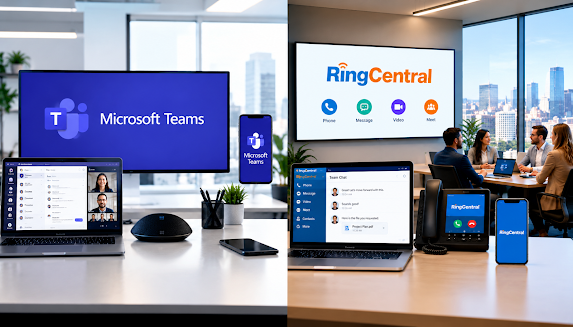
In the world of communication tools, businesses have an abundance of options to choose from. Two of the most popular solutions for professional communication are Microsoft Teams Phone and RingCentral. As companies continue to prioritize collaboration and efficient communication, understanding the strengths and weaknesses of these platforms can empower decision-makers to select the best fit for their organization. In this article, we will dive into a detailed comparison of Microsoft Teams Phone and RingCentral, examining key features, usability, pricing, and ultimately helping you decide which solution suits your needs.

In today’s fast-paced healthcare environment, communication is vital to the success of any medical practice. A reliable and efficient phone system is not merely a convenience; it is essential for ensuring patient satisfaction, operational efficiency, and regulatory compliance. This article presents a comprehensive Business Phone System Checklist for Medical Practices, guiding healthcare professionals through the essential features, considerations, and steps for selecting and maintaining the right communication system. Whether you are transitioning to a new system or upgrading an existing one, this checklist will help you make informed decisions that align with the unique needs of your medical practice.

In today’s competitive business environment, companies must prioritize cost efficiency to maximize profitability. One often overlooked area where savings can be significant is the phone system. In this article, we will explore how much a business can save by auditing its phone system, outlining the key aspects of phone system audits, identifying potential cost-saving opportunities, calculating possible savings, and presenting case studies of successful audits. Additionally, we will discuss how to implement changes for long-term savings, ensuring that your business not only benefits now but also well into the future.

In today's fast-paced business environment, communication is key to success. As your business grows and evolves, so do your communication needs. If you're still relying on an outdated business phone system, you might be missing out on vital opportunities for efficiency and customer engagement. In this article, we will explore the crucial question: When should you replace your old business phone system? From understanding the typical lifespan of these systems to recognizing the signs that indicate it's time for an upgrade, we will guide you through the decision-making process. By assessing your business's unique needs and exploring modern alternatives, you can make an informed choice that will enhance communication and streamline operations.

In today’s fast-paced business environment, effective communication is essential for success. Selecting the right business phone system can significantly impact productivity and customer relations. Yeastar and 3CX are two leading providers in the business phone system market, each offering unique features and advantages. This article will delve into Yeastar vs 3CX: Which Business Phone System Is Right for You? We’ll compare their key features, examine pricing and costs, assess performance and user experience, and ultimately provide recommendations tailored to various business needs. Whether you're a small startup or a large corporation, understanding the differences between these two systems will help you make an informed decision.

In today's fast-paced business landscape, effective communication tools are paramount for success, particularly for companies in Sydney seeking to enhance their operational efficiency and customer engagement. Two prominent players vying for the attention of these businesses are RingCentral and 3CX. Each platform offers unique features tailored to meet diverse communication needs. In this article, we will delve into a comprehensive comparison of RingCentral vs 3CX: which is better for a Sydney business? We will explore their key features, pricing models, user experiences, and customer support to help you make an informed decision that best aligns with your business goals.

In an era where effective communication is paramount for businesses, choosing the right phone system is crucial for success. If you're wondering, 'How much does a business phone system cost in Australia in 2026?' you're not alone. This article delves into the complexities of business phone systems in Australia, highlighting key factors that influence costs and exploring various options available in the market today. Additionally, we'll provide insights into average pricing, helping you make informed decisions that align with your budget and communication needs.

In today's rapidly evolving business landscape, staying ahead of the competition requires not only innovation but also the right tools and strategies. One of the most essential components of this strategy is effective communication. Enter cloud communications—an innovative approach that is revolutionizing how businesses connect internally and externally. This article delves into the process of future-proofing your business with cloud communications. We will explore what cloud communications entail, the numerous benefits they offer, the key features to look for in an effective system, best practices for implementation, and emerging trends that will shape the future of this technology. Whether you're a small startup or a large enterprise, understanding cloud communications can help you leverage this powerful tool to enhance collaboration, reduce costs, and ultimately drive success in an ever-changing environment.

In today's fast-paced business landscape, effective communication is not just a luxury but a necessity. Companies are constantly on the lookout for ways to enhance their connectivity and streamline operations, a need that has given rise to a powerful concept: Unified Communications (UC). Beyond phone systems, Unified Communications offers a comprehensive approach to enhancing collaboration and efficiency within organizations. This article explores the strategic value of Unified Communications , its various components, advantages for businesses, the technologies driving this transformation, best practices for implementation, and the future trends that promise to redefine workplace communication.

In an age where effective communication can make or break a business, understanding cloud communications is essential for any organization striving to enhance customer experience. Cloud communications offer a transformative approach that allows businesses to streamline their interactions with customers while harnessing the power of technology to create seamless, efficient, and personalized experiences. In this article, we delve into the impact of cloud technology on customer experience, key features that define successful cloud communication systems, real-world case studies showcasing successful implementations, and future trends shaping customer engagement in this rapidly evolving digital landscape.