Best Customer Support Teams Unified Communications Guide

PlanetComms • November 5, 2026

Share this article

Your customer support team is fielding calls, juggling chat windows, switching between screens, and scrambling to find information scattered across five different systems. Meanwhile, your customer is on hold—again—waiting to be transferred to someone who might actually have the answer they need.

Sound familiar?

This is the reality for countless Australian businesses still operating with fragmented communication tools. Each platform works fine in isolation, but together they create a chaotic environment where context gets lost, response times balloon, and both customers and agents end up frustrated.

Unified communications changes this equation entirely. By bringing voice, video, messaging, and collaboration tools into a single integrated platform, UC transforms customer support from a reactive cost centre into a strategic competitive advantage. Your agents gain instant access to the right people and information. Your customers experience seamless, efficient service. And your business benefits from the kind of support operation that builds loyalty rather than just resolving tickets.

For Australian businesses navigating hybrid work models and rising customer expectations, unified communications isn't just a nice-to-have—it's becoming essential infrastructure for delivering world-class support.

Let's explore seven proven strategies that leading organisations use to build exceptional customer support teams through unified communications.

1. Centralise All Customer Interactions in a Single Platform

The Challenge It Solves

Picture your support agent toggling between a phone system, email client, chat application, and ticketing system—all while trying to maintain a conversation with a customer. Each tool switch costs precious seconds and mental energy. Worse, critical context gets lost in translation when information lives in disconnected silos.

This fragmentation doesn't just slow down resolution times. It creates genuine frustration for agents who spend more time managing tools than solving problems, and customers who have to repeat themselves every time they're transferred or contact support through a different channel.

The Strategy Explained

A unified communications platform consolidates all customer interaction channels—voice calls, video meetings, instant messaging, SMS, and even email integration—into a single interface. Your agents work from one screen, with complete visibility into every conversation thread regardless of how the customer chose to reach out.

Think of it like replacing a cluttered desk covered in separate devices with a single command centre. When a customer calls after sending an email yesterday, your agent sees both interactions immediately. When a chat conversation needs to escalate to a phone call, it happens with one click, with full context preserved.

Modern UC platforms from providers like RingCentral, 3CX, Yeastar, and Avaya offer this centralised approach while maintaining the flexibility Australian businesses need for hybrid work environments.

Implementation Steps

1. Audit your current communication channels to identify which tools your support team actually uses daily and where the biggest friction points exist.

2. Select a UC platform that integrates with your existing business systems and meets Australian data sovereignty requirements if applicable to your industry.

3. Create a phased migration plan that brings one channel at a time into the unified platform, starting with your highest-volume interaction method.

4. Train your team on the consolidated interface before going live, emphasising how the unified view improves their workflow rather than just being another new tool to learn.

Pro Tips

Start with a pilot group of your most tech-comfortable agents. Their early feedback will help you refine the setup before rolling out to the entire team. Pay special attention to keyboard shortcuts and quick actions—these small efficiency gains compound dramatically when agents handle dozens of interactions daily.

2. Enable Seamless Internal Escalation and Collaboration

The Challenge It Solves

We've all experienced it as customers: "Let me put you on hold while I check with my supervisor." Five minutes pass. The agent returns, still without an answer, and transfers you to someone else. You explain your issue again from scratch.

For support agents, this scenario is equally frustrating. They know the expert who could solve this problem in thirty seconds, but reaching them means putting the customer on hold, making a separate call, or walking across the office—if everyone's even in the same location anymore.

The Strategy Explained

Unified communications platforms include presence indicators that show real-time availability status for every team member. Your frontline agent can see instantly whether the product specialist is available, in a meeting, or on another call. More importantly, they can send an instant message to consult an expert without putting the customer on hold.

This creates what many organisations describe as "invisible escalation." From the customer's perspective, their agent simply knows the answer. Behind the scenes, that agent quickly messaged a colleague, got the information they needed, and continued the conversation seamlessly.

The approach works equally well whether your team is in one office, distributed across Australia, or working in a hybrid model. Geography becomes irrelevant when collaboration happens through integrated messaging and presence awareness.

Implementation Steps

1. Establish clear presence status guidelines so team members use availability indicators consistently—this only works if people trust the status they see.

2. Create subject matter expert channels or groups within your UC platform where agents can quickly pose questions to specialists in billing, technical support, or specific product areas.

3. Develop internal response time expectations for instant messages from colleagues handling customer interactions—these should be treated as higher priority than general internal chat.

4. Train agents on when to use invisible escalation versus when a formal transfer is more appropriate, typically based on issue complexity and expected resolution time.

Pro Tips

Encourage your team to use status messages creatively: "Available - mobile specialist" or "In meeting until 2pm" gives colleagues much more context than generic "busy" indicators. Consider implementing a "customer on line" status that signals urgent priority to the rest of the team.

3. Implement Intelligent Call Routing and Queue Management

The Challenge It Solves

Traditional phone systems route calls based on simple rules: next available agent, longest idle time, or round-robin distribution. This approach treats all agents as interchangeable and all customer issues as equivalent. The result? Customers frequently land with agents who need to transfer them, extending resolution times and creating unnecessary handoffs.

For Australian businesses serving diverse customer bases or offering multiple product lines, this one-size-fits-all routing actively works against efficient support delivery.

The Strategy Explained

Skills-based routing matches incoming interactions with the agents best equipped to handle them. When a customer calls about a technical integration issue, the system routes them to agents with technical expertise. When someone needs billing assistance, they reach agents skilled in account management.

Modern UC platforms take this further with intelligent queue management that considers multiple factors: agent skill levels, current queue depths, customer priority status, and even time-of-day patterns. The system dynamically adjusts routing to optimise both customer experience and team workload distribution.

This matters particularly for businesses operating across Australian time zones or managing after-hours support, where agent availability varies throughout the day. Platforms like 3CX offer robust routing capabilities suited to these complex requirements.

Implementation Steps

1. Document your agents' skill sets and expertise areas, creating a skills matrix that captures both primary specialisations and secondary capabilities.

2. Configure routing rules in your UC platform that prioritise skill matching while maintaining acceptable queue times—perfect matching isn't worth excessive wait times.

3. Set up overflow rules that route calls to agents with adjacent skills when primary specialists are unavailable, ensuring customers don't wait indefinitely for the "perfect" match.

4. Monitor routing effectiveness through your UC analytics, tracking metrics like transfer rates and first-call resolution to identify routing rules that need refinement.

Pro Tips

Build in flexibility for agents to update their own skill profiles as they develop new expertise. Create "learning" skill levels where newer agents can take certain call types under supervision, gradually building the team's overall capacity. During peak periods, consider temporarily broadening routing rules to prioritise speed over perfect skill matching.

4. Leverage Video Support for Complex Issue Resolution

The Challenge It Solves

Try explaining a technical problem over the phone. "Click the icon in the top right... no, the other icon... the blue one... yes, that one." Frustrating for everyone involved. Some issues simply resist verbal description, whether it's troubleshooting software, diagnosing equipment problems, or walking customers through complex configurations.

Email screenshots back and forth as an alternative, but this turns a five-minute fix into a multi-hour email thread. The customer's problem remains unsolved while everyone plays asynchronous communication tag.

The Strategy Explained

Video support capabilities within unified communications platforms allow agents to escalate from voice to video with a single click. Screen sharing lets customers show exactly what they're experiencing, while agents can demonstrate solutions visually rather than trying to describe them verbally.

This visual approach typically resolves technical issues significantly faster than voice-only support. More importantly, it builds customer confidence. When they can see the problem being diagnosed and watch the solution being implemented, they understand what happened and often learn to handle similar issues independently in future.

For Australian businesses supporting customers across the country, video support eliminates the need for costly on-site visits for many issues that previously required physical presence.

Implementation Steps

1. Ensure your UC platform includes one-click video escalation that works seamlessly from phone calls without requiring customers to download separate applications or create accounts.

2. Train your support team on effective video communication techniques, including screen sharing etiquette, cursor highlighting, and verbal narration of actions they're taking.

3. Develop clear criteria for when to offer video support—typically for technical troubleshooting, product demonstrations, or situations where verbal description proves ineffective after initial attempts.

4. Create a simple process for customers to decline video if they prefer voice-only support, ensuring the option enhances rather than complicates their experience.

Pro Tips

Record video support sessions when customers consent, creating a library of real troubleshooting scenarios for training new agents. Use video support strategically for high-value customers or complex issues where the improved experience justifies the additional time investment. Consider creating short video responses for common questions that agents can send via email, extending the video support benefit beyond live interactions.

5. Build a Flexible Remote and Hybrid Support Model

The Challenge It Solves

Australian businesses increasingly operate with distributed teams, whether by design or necessity. Some agents work from home, others split time between office and remote locations, and you might have team members across different cities or states. Traditional phone systems tether support to physical locations, creating coverage gaps and limiting your talent pool to people within commuting distance of your office.

Beyond the practical challenges, there's a quality concern: how do you maintain team cohesion, consistent service standards, and effective supervision when everyone's in different locations?

The Strategy Explained

Unified communications platforms are inherently location-independent. An agent working from home in Perth has identical capabilities to a colleague in the Sydney office. Calls route based on skills and availability, not physical location. Team collaboration happens through integrated messaging and video regardless of where people sit.

This flexibility extends beyond just enabling remote work. You can schedule agents across time zones to extend support hours without requiring night shifts. You can tap into talent anywhere in Australia rather than limiting recruitment to your local area. During disruptions—whether it's transport strikes, extreme weather, or health concerns—your support operation continues without interruption.

The key is that location becomes a logistics detail rather than a constraint on how you structure and deliver support. Solutions like Yeastar provide the flexibility needed for modern hybrid work environments.

Implementation Steps

1. Ensure your UC platform delivers consistent functionality regardless of connection method, whether agents use desktop applications, web browsers, or mobile devices.

2. Establish clear communication protocols for distributed teams, including expected response times for internal messages, regular video check-ins, and virtual team meetings that replace casual office interactions.

3. Implement quality monitoring that works equally well for remote and office-based agents, using call recording and screen monitoring features available in modern UC platforms.

4. Create virtual "water cooler" channels where team members can share non-work conversation, maintaining the social connections that naturally occur in physical offices.

Pro Tips

Provide home-based agents with quality headsets and backup internet connectivity options—remote support only works when the technology is reliable. Schedule regular in-person or video team meetings to maintain culture and connection. Use presence status creatively to indicate location: "Working from home - available" versus "In office - available" helps colleagues know how to best reach each other.

6. Integrate UC with Your CRM and Business Systems

The Challenge It Solves

Your customer calls with a question about their recent order. Your agent answers the phone, asks for their customer number, pulls up their account in the CRM, navigates to their order history, and finally—thirty seconds later—is ready to actually address the question. Meanwhile, the customer wonders why they need to identify themselves when they just entered their account number in the phone menu.

Disconnected systems force agents to manually bridge the gap between communication and customer data. This wastes time, creates opportunities for errors, and delivers an experience that feels distinctly un-modern to customers accustomed to seamless digital interactions in other parts of their lives.

The Strategy Explained

UC-CRM integration creates automatic connections between communications and customer data. When a call arrives, the UC platform queries your CRM using the caller's phone number, then displays their complete profile, interaction history, open tickets, and account status on the agent's screen before they even answer the call.

This works across all communication channels. A chat message automatically creates or updates the customer's CRM record. A video support session links to the relevant service ticket. Email interactions flow into the unified communication history alongside phone calls and messages.

The result is what customers expect in 2026: support agents who know who they are, what they've purchased, and what they've previously discussed, without asking customers to repeat information the business should already have.

Implementation Steps

1. Identify your core business systems that contain customer interaction data—typically CRM, ticketing, billing, and order management platforms.

2. Evaluate integration options for your UC platform, whether through native connectors, APIs, or integration platforms that bridge multiple systems.

3. Define the data flow priorities: which information should automatically populate from CRM to UC, and which interaction details should flow back from UC to CRM.

4. Test the integration thoroughly with real customer scenarios before full deployment, ensuring data syncs correctly and appears in the right context for agents.

Pro Tips

Start with screen pop functionality—having customer information appear automatically when calls arrive delivers immediate value that agents and customers both notice. Extend integration gradually to include click-to-dial from CRM records, automatic call logging, and eventually bi-directional data sync. Work with experienced UC consulting specialists who understand both the technical requirements and the workflow implications for support teams.

7. Use Analytics and Recording for Continuous Improvement

The Challenge It Solves

How do you know if your support operation is actually improving? Traditional approaches rely on gut feel, occasional customer surveys, and perhaps basic call volume statistics. You suspect certain agents handle difficult customers better than others, but you can't pinpoint exactly what they do differently. Training focuses on generic customer service principles rather than specific performance gaps in your team.

Without concrete data and the ability to review actual interactions, support management becomes guesswork dressed up as strategy.

The Strategy Explained

Unified communications platforms include comprehensive analytics that track every meaningful metric: call volumes and patterns, average handle time, first-call resolution rates, queue abandonment, and agent performance across all communication channels. More importantly, call recording and screen capture capabilities let you review actual customer interactions to understand what's working and what isn't.

This creates a continuous improvement cycle. Analytics identify patterns and outliers. Recording lets you investigate the specifics. Training addresses actual performance gaps rather than assumed weaknesses. You measure the results, and the cycle continues.

For Australian businesses, this data-driven approach also supports compliance requirements in regulated industries where interaction recording and quality monitoring are mandatory rather than optional.

Implementation Steps

1. Define your key performance indicators based on business objectives—not just operational metrics like call volume, but outcome-focused measures like customer satisfaction and issue resolution.

2. Configure your UC analytics dashboard to surface these KPIs prominently, making it easy for team leaders to spot trends and anomalies without drowning in data.

3. Establish a call review process that balances quality monitoring with agent development, using recordings as coaching tools rather than purely evaluative evidence.

4. Create feedback loops where insights from analytics and call reviews directly inform training content, process improvements, and technology adjustments.

Pro Tips

Review both your best and worst performing interactions—you'll learn as much from what's working well as from what's failing. Share anonymised examples of excellent customer handling with the entire team, celebrating specific techniques that others can emulate. Use analytics to identify training opportunities before they become performance problems: if average handle time is creeping up across the team, investigate and address the root cause proactively. Schedule regular analytics review sessions with your team, making data transparency part of your support culture rather than a management-only tool.

Putting It All Together: Your Implementation Roadmap

Building a best-in-class customer support operation through unified communications isn't an overnight transformation. It's a strategic journey that requires thoughtful planning, phased implementation, and genuine commitment to change management.

Start with quick wins that deliver immediate value. Centralising communication channels and implementing basic skills-based routing can transform your support experience within weeks. These foundational improvements create momentum and demonstrate ROI that justifies further investment.
Screenshot of RingCentral website
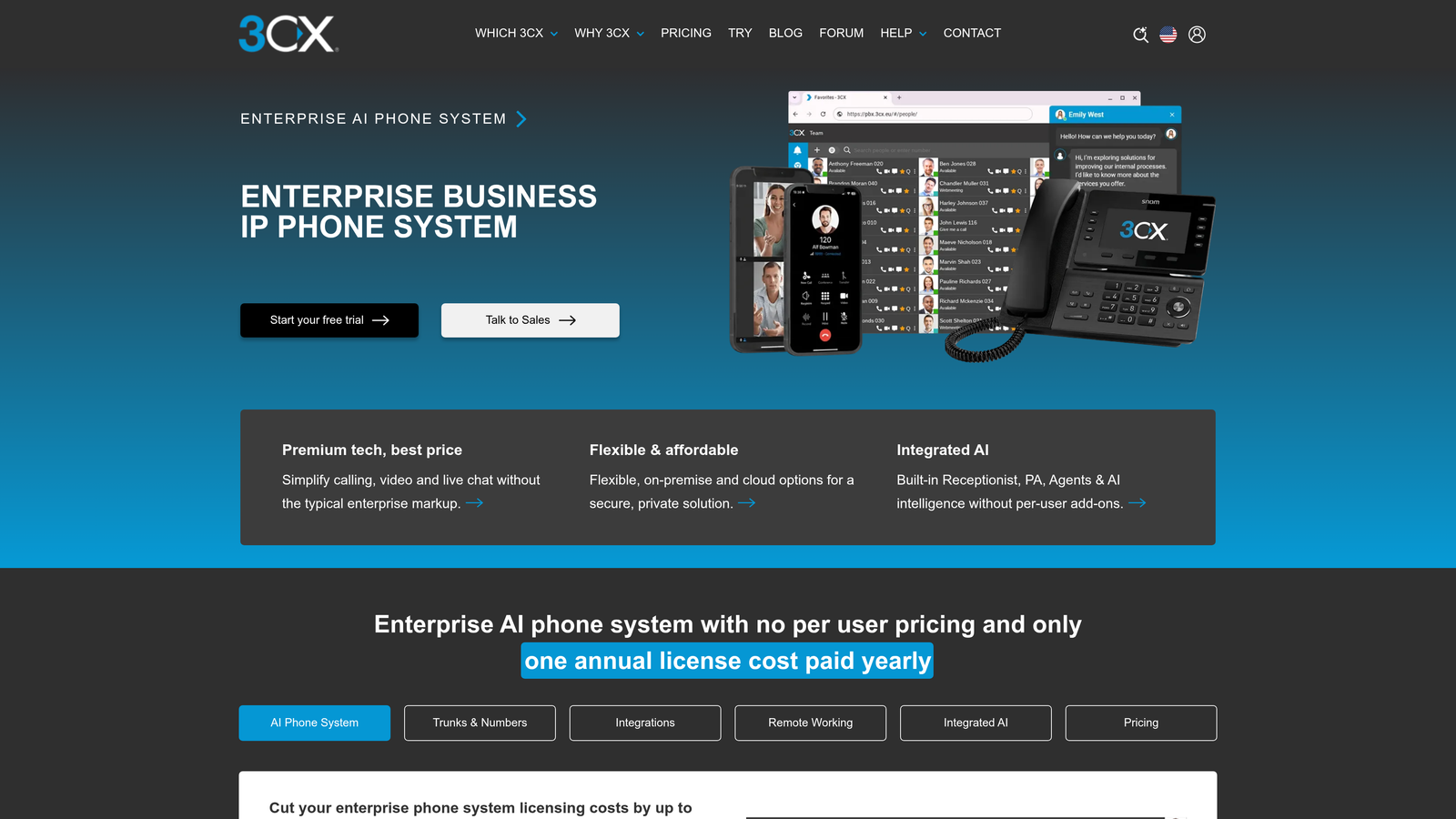
Screenshot of 3CX website
Screenshot of Yeastar website
Screenshot of Avaya website

Move next to integration and collaboration enhancements. Connect your UC platform with your CRM and business systems. Enable seamless internal escalation. These mid-term improvements compound the benefits of your initial implementation, creating efficiency gains that free up capacity for more strategic support initiatives.

Finally, build toward the sophisticated capabilities that differentiate exceptional support operations. Implement comprehensive analytics programs. Develop flexible hybrid work models. Leverage video support strategically for complex issues. These longer-term enhancements position your support team as a competitive advantage rather than just a necessary business function.

Throughout this journey, remember that technology enables transformation but people deliver it. Invest in change management and training. Involve your support team in platform selection and workflow design. Celebrate early adopters and address concerns transparently. The most powerful UC platform in the world fails if your team doesn't embrace it.

For Australian businesses ready to elevate their customer support operations, unified communications offers a clear path forward. The strategies outlined here aren't theoretical concepts—they're proven approaches that leading organisations use daily to deliver exceptional customer experiences while empowering their support teams.

The question isn't whether unified communications will transform customer support. It's whether you'll lead that transformation in your market or follow once your competitors have already established the new standard for customer experience.

Ready to explore how unified communications can transform your support operation? Learn more about our services and discover how PlanetComms helps Australian businesses build world-class customer support teams through integrated communication solutions tailored to your unique requirements.


Recent Posts

By PlanetComms • November 5, 2026
Every missed call is a missed opportunity. For Australian small businesses, outdated phone systems create daily frustrations that directly impact the bottom line—customers sent straight to voicemail during business hours, team members unable to answer calls while working remotely, poor audio quality that undermines professionalism, and the constant worry about what happens when the system inevitably fails. These aren't minor inconveniences; they're barriers to growth that cost businesses real revenue and damage hard-earned reputations. The good news? Business phone systems have evolved dramatically in recent years. What once required expensive hardware installations and ongoing maintenance contracts now exists as flexible, cloud-based solutions that give small businesses access to the same sophisticated communication features that large enterprises enjoy—at price points that actually make sense for growing companies. Modern systems adapt to how your team actually works, whether that's from the office, home, or on the road. This guide walks you through everything you need to know about choosing and implementing a business phone system that fits your specific needs. We'll cut through the technical jargon, compare your options honestly, and give you a practical framework for making a decision that will serve your business for years to come. Whether you're replacing an aging landline system or setting up communications for the first time, you'll finish this article with clarity about your next steps. The Reality Check: Why Your Old Landline is Holding You Back Australian businesses are communicating differently than they did even five years ago. Your customers expect to reach you instantly, whether they're calling from their mobile while commuting or sending a quick message between meetings. Your team needs to collaborate seamlessly whether they're in the office, working from home, or meeting with clients across town. Traditional landline systems simply weren't designed for this reality. Think about how your current phone system actually works on a daily basis. Calls are tied to physical locations—if you're not at your desk, you miss the call. Adding a new team member means scheduling a technician visit and purchasing additional hardware. Moving offices requires a complete reinstallation. Need to check your voicemail while traveling? You're either calling in from your mobile or waiting until you're back at your desk. These limitations feel normal until you realize they don't have to exist. The financial picture tells an even more compelling story. Legacy phone systems hide costs in places you might not immediately notice. There's the initial capital expenditure for hardware—often thousands of dollars for even modest setups. Then come the ongoing expenses: maintenance contracts, repair callouts, line rental fees that never seem to decrease, and the inevitable replacement costs when components fail. Many Australian businesses discovered this painfully during the NBN migration, when their old PSTN systems suddenly required expensive upgrades or complete replacement. Scalability presents another major constraint. Growing businesses face a frustrating choice: invest heavily in a system with capacity you don't need yet, or accept that you'll need another expensive upgrade in a year or two. Seasonal businesses that need extra phone capacity during busy periods are stuck paying for infrastructure they only use part-time. Multi-location expansion becomes a complex project requiring separate systems or expensive integration work. Modern unified communication solutions eliminate these traditional scaling headaches entirely. Modern cloud-based phone systems eliminate these constraints entirely. They operate on a fundamentally different model—one that aligns with how Australian small businesses actually operate in 2026. Instead of buying equipment that depreciates, you access communication capabilities as a service. Instead of being tied to physical locations, your phone system follows your team wherever they work. Instead of rigid capacity limits, you scale up or down as your business needs change. The shift isn't just about technology; it's about matching your communication infrastructure to your business reality. Understanding Your Architecture Options: Cloud versus On-Premise When you start researching business phone systems, you'll encounter two fundamentally different approaches: cloud-hosted systems and on-premise solutions. Understanding this distinction is crucial because it shapes everything else—your costs, your flexibility, your IT requirements, and your long-term options. Let's break down what each actually means in practical terms. Cloud-hosted phone systems (often called VoIP or UCaaS—Unified Communications as a Service) run on servers maintained by your provider. Your team uses desk phones, computers, or mobile devices to access the system over your internet connection. Think of it like using email through Gmail or Outlook 365 rather than running your own email server. The provider handles all the technical infrastructure, security updates, and system maintenance. You simply pay a monthly fee per user and focus on running your business. On-premise systems, by contrast, involve physical equipment installed at your location—a PBX (Private Branch Exchange) that sits in your server room or communications closet. You own the hardware, control the configuration, and manage the maintenance. It's more like hosting your own email server—you have complete control, but you're also responsible for everything that entails. The cost structures differ significantly. Cloud systems typically operate on a subscription model—you might pay between $30 and $80 per user per month, depending on the features you need. This covers the service, regular updates, support, and often includes features like video conferencing and team messaging. There's minimal upfront investment—perhaps some desk phones if your team prefers physical handsets, though many businesses operate entirely with softphone applications on computers and mobiles. Your expenses are predictable and scale directly with your team size. On-premise systems require substantial upfront capital. A small business might invest $5,000 to $15,000 for the PBX hardware, phones, and installation—before adding a single user. Ongoing costs include maintenance contracts, occasional hardware replacements, and potentially IT staff time for system management. The total cost of ownership over five years often exceeds cloud alternatives, though some businesses prefer the predictability of owned assets. Control and customization present another trade-off. On-premise systems give you complete authority over every setting and configuration. If you have specific integration requirements or unique call routing needs, you can customize extensively—assuming you have the technical expertise or budget for consultants. Cloud systems offer less granular control but provide sophisticated features through user-friendly interfaces that don't require specialized knowledge. For most small businesses, the practical capabilities of modern cloud platforms exceed what they'd realistically configure on a custom on-premise system. Internet dependency is a consideration worth understanding honestly. Cloud phone systems require reliable internet connectivity—if your connection fails, your phone system goes down. For businesses in regional Australia or areas with inconsistent internet, this creates legitimate concerns. However, most modern cloud systems offer failover options like automatic call forwarding to mobile numbers, and the reality is that internet reliability has improved dramatically across Australia. On-premise systems avoid this dependency but introduce their own reliability considerations around hardware failure and power outages. For most Australian small businesses in 2026, cloud-hosted systems offer compelling advantages: lower upfront costs, predictable monthly expenses, automatic updates and security patches, and the flexibility to support remote and mobile workers seamlessly. On-premise solutions make sense for businesses with specific security requirements, locations with genuinely unreliable internet, or those with existing IT infrastructure and expertise to manage the system effectively. Engaging professional consulting services can help you determine which architecture best fits your specific circumstances. The question isn't which is objectively better—it's which aligns with your business circumstances and priorities. The Features That Actually Matter for Small Business Success When you're evaluating business phone systems, you'll encounter feature lists that seem designed to overwhelm rather than inform. The reality is that certain capabilities make a tangible difference to how your business operates, while others are nice-to-haves that you might never use. Let's focus on what actually matters for Australian small businesses. Auto-Attendant (Virtual Receptionist): This feature answers calls professionally and routes them to the right person or department without requiring a dedicated receptionist. Callers hear a customized greeting and can press options to reach sales, support, or specific team members. For small businesses, this creates an impression of professionalism that punches above your weight class. You can configure different greetings for business hours versus after-hours, ensuring callers always receive appropriate information even when your team isn't available. Voicemail-to-Email and Transcription: Rather than calling in to check messages, voicemails are delivered directly to your email inbox, often with a transcription of the message content. This seemingly simple feature transforms how you handle customer communications. You can review messages while in meetings, forward urgent matters to colleagues instantly, and maintain a searchable record of customer interactions. The time saved adds up quickly when you're managing multiple communication channels. Mobile Apps and Softphones: Your business phone system should work wherever your team works. Quality mobile applications let team members make and receive calls using their business number from their smartphone, laptop, or tablet. This eliminates the awkward dance of giving out personal mobile numbers to clients or the missed opportunities when you're away from your desk. For businesses with field teams or remote workers, this capability is non-negotiable. Call Forwarding and Routing: Sophisticated call routing ensures customers reach the right person quickly. You might route calls based on time of day, caller ID, department selection, or team member availability. The system can try multiple numbers in sequence, ensuring calls get answered even if someone's primary line is busy. This flexibility means fewer missed calls and better customer experiences without requiring complex manual coordination. Video Conferencing Integration: Modern business communication extends beyond voice calls. Built-in video conferencing capabilities let you conduct face-to-face meetings with clients and team members without juggling separate platforms or subscriptions. The integration matters—scheduling a video call should be as simple as making a phone call, with participants joining through simple links rather than downloading separate applications or creating accounts. Team Messaging and Presence: Knowing whether colleagues are available, on a call, or away from their desk streamlines internal communication. Integrated messaging lets you send quick questions without interrupting someone with a phone call, while presence indicators help you decide whether to call, message, or wait. These features reduce communication friction and help teams coordinate more effectively, particularly when working across different locations or schedules. Integration capabilities deserve special attention because they determine how well your phone system works with your existing business tools. Quality systems integrate with popular CRM platforms like Salesforce, HubSpot, or Zoho, automatically logging calls and displaying customer information when calls come in. Email integration ensures voicemails and call records flow into your communication history. Calendar integration lets you set your status based on scheduled meetings. These connections transform your phone system from a standalone tool into part of your broader business workflow. Scalability considerations shape your long-term satisfaction with any system. Adding new users should be straightforward—ideally a matter of minutes through an online portal rather than scheduling technician visits. The system should accommodate growth in features as well as users. You might start with basic calling features and later add call recording, advanced analytics, or contact center capabilities as your business evolves. The ability to expand without replacing your entire system protects your investment and adapts to changing needs. Call quality and reliability underpin everything else. The most feature-rich system in the world is useless if calls drop frequently or audio quality is poor. Look for systems that prioritize voice traffic on your network, offer Quality of Service (QoS) settings, and provide redundancy to maintain service even if individual components fail. Professional installation services and network assessment ensure your internet connection can support high-quality voice calls alongside your other business activities. Making Your Decision: A Framework for Choosing the Right System Choosing a business phone system feels overwhelming when you're faced with dozens of providers, hundreds of features, and conflicting advice from sales representatives. The key is asking the right questions about your specific situation before you start comparing vendors. Let's build a practical framework for making this decision. Start with your team structure and work patterns. How many people need phone access right now, and how many will you likely need to accommodate in the next two years? Where do these people work—single office, multiple locations, remotely, or a hybrid mix? Do you have field teams who need to make business calls while traveling? These basics shape which systems are even viable for your situation. A three-person consultancy with everyone working remotely has completely different needs than a fifteen-person retail operation with a physical storefront and delivery drivers. Assess your technical environment honestly. What's your internet connection like—speed, reliability, and whether you have backup connectivity options? Do you have existing IT infrastructure or support, or will you need your phone provider to handle everything? Are you comfortable with cloud-based systems, or do you have security or compliance requirements that might necessitate on-premise solutions? There's no point falling in love with a cloud system if your internet connection can't reliably support it, just as there's no sense investing in on-premise hardware if you lack the technical resources to manage it. Define your budget realistically. What can you invest upfront versus what you can sustain monthly? Remember that the cheapest option often creates hidden costs through poor reliability, missing features, or expensive scaling. Consider total cost of ownership over three to five years rather than just the initial price tag. Factor in potential costs like additional handsets, network upgrades, or training time. A clear budget helps you focus on viable options rather than wasting time on systems that don't align with your financial reality. Identify your must-have features versus nice-to-haves. What capabilities would genuinely improve how your business operates versus features that sound impressive but you'd rarely use? If you regularly conduct client presentations, video conferencing integration might be essential. If you have a support team handling customer inquiries, call queuing and recording could be crucial. If you're a solo consultant, you might just need reliable mobile access and professional voicemail. Being honest about your actual needs prevents overpaying for features you'll never activate. The Australian market offers several leading platforms, each with distinct strengths. RingCentral provides enterprise-grade features with excellent mobile applications and extensive integrations, making it popular with growing businesses that need sophisticated capabilities. 3CX offers flexibility and cost-effectiveness, particularly for businesses with some technical capability who want more control over their system. Yeastar delivers robust features at competitive price points, often appealing to cost-conscious businesses that still need professional capabilities. Avaya brings decades of telecommunications experience with solutions spanning cloud and on-premise options, suitable for businesses with specific requirements or existing Avaya infrastructure. The differences between platforms often matter less than how well the chosen system is configured for your specific needs. A mid-tier system properly set up and integrated with your workflow will outperform a premium platform poorly implemented. This is where professional consultation provides genuine value—experienced providers assess your actual requirements and recommend solutions based on how you work rather than which product pays the highest commission. Consider the provider relationship as much as the technology. Who will you call when something goes wrong? How quickly do they respond to support requests? Do they have experience with businesses similar to yours? Can they provide references from current customers? The cheapest system from a provider with poor support will cost you far more in frustration and lost productivity than paying slightly more for reliable service and responsive assistance. You're not just buying technology; you're entering a relationship that will support your business communications for years. Use a product comparison matrix to evaluate your options side by side. Implementation Done Right: From Decision to Daily Operation You've chosen your system—now comes the critical phase where planning meets reality. How implementation is handled determines whether you experience a smooth transition that improves operations immediately or a frustrating process that disrupts business and leaves your team struggling with unfamiliar technology. Let's walk through what to expect and how to ensure success. Professional installation typically begins with a detailed assessment of your current setup and requirements. Your provider should evaluate your internet connection, network infrastructure, and physical environment. They'll identify potential issues before they become problems—insufficient bandwidth, network congestion points, or coverage gaps that might affect call quality. This upfront work prevents the common scenario where a system works beautifully in testing but struggles under real-world conditions. Number porting deserves careful attention because your existing business number is often a valuable asset. The process of transferring your number from your old provider to your new system typically takes one to three weeks, depending on your current carrier and service type. During this transition period, your provider should ensure no calls are lost and that you maintain continuous service. Professional providers manage this process proactively, handling the paperwork and coordination with carriers so you don't experience service interruptions. Physical installation timelines vary based on your system complexity and location. A simple cloud-based system for a small office might be operational within a few days—provision the service, configure settings, and connect desk phones or install softphone applications. More complex deployments involving multiple locations, integration with existing systems, or on-premise hardware might require several weeks. Realistic timeline expectations prevent frustration and allow you to plan around any temporary service limitations. Staff training often receives insufficient attention, yet it's crucial for adoption success. Your team needs to understand not just how to make and receive calls, but how to leverage features like call forwarding, voicemail management, mobile apps, and presence indicators. Quality providers offer structured training sessions, user guides, and ongoing support resources. The goal isn't making everyone an expert—it's ensuring everyone feels comfortable with the features they'll use daily and knows where to find help when questions arise. Common implementation pitfalls are worth understanding so you can avoid them. Underestimating bandwidth requirements leads to poor call quality when multiple people are on calls simultaneously. Inadequate network configuration causes dropped calls or one-way audio issues. Insufficient testing before going live means discovering problems when customers are calling. Lack of backup plans creates panic when unexpected issues arise. Professional installers anticipate these challenges and address them proactively through proper planning and staged rollouts. The initial weeks after implementation require attention and responsiveness. Monitor call quality closely, gather feedback from your team about any issues they encounter, and work with your provider to optimize settings based on real usage patterns. Most reputable providers include a settling-in period where they're particularly responsive to adjustment requests and fine-tuning needs. Take advantage of this support window to ensure your system is configured optimally for your specific usage patterns. Ongoing support and maintenance considerations shape your long-term experience. Understand what's included in your service agreement—24/7 support access, response time commitments, regular system updates, and performance monitoring. Cloud-based systems typically include automatic updates and security patches, while on-premise systems require more active management. Know who to contact when issues arise and what escalation paths exist for urgent problems. The best system in the world becomes a liability if you can't get timely support when you need it. Long-term success requires treating your phone system as business infrastructure that needs occasional attention rather than a set-and-forget installation. Review usage patterns quarterly to ensure your plan still fits your needs. Assess whether new features or capabilities could improve operations. Stay informed about system updates and new capabilities. Plan for growth by understanding how to add users, locations, or features as your business evolves. This proactive approach ensures your communication infrastructure continues supporting your business effectively as circumstances change. Your Path Forward: Making Communication a Business Advantage The right business phone system isn't just about making and receiving calls—it's about creating seamless communication experiences that strengthen customer relationships, enable team collaboration, and support business growth. For Australian small businesses, the transition from legacy phone systems to modern cloud-based solutions represents a genuine opportunity to operate more efficiently and compete more effectively, regardless of company size. The key decision factors we've explored throughout this guide all point toward the same conclusion: your phone system should adapt to how your business actually operates rather than forcing you to work around technological limitations. Whether your team works from a single office, multiple locations, or remotely across Australia, modern systems provide the flexibility to maintain professional communications and seamless collaboration. The investment in proper implementation and the right technology pays dividends through improved customer experiences, reduced communication friction, and the confidence that your infrastructure can scale as you grow. PlanetComms helps Australian small businesses navigate these decisions with clarity and confidence. Rather than pushing a single solution, we assess your specific requirements, work environment, and growth plans to recommend systems that genuinely fit your needs. Our experience with platforms including RingCentral, 3CX, Yeastar, and Avaya means we can match you with technology that aligns with your priorities—whether that's cost-effectiveness, advanced features, integration capabilities, or specific industry requirements. We handle the complete process from consultation through installation, number porting, training, and ongoing support, ensuring your transition is smooth and your system performs reliably from day one. The communication landscape will continue evolving, but the fundamental principle remains constant: businesses that invest in proper communication infrastructure create better experiences for customers and team members alike. Your phone system is often the first point of contact customers have with your business—it shapes their impression, influences their confidence, and determines whether they can reach you when they need to. Getting this right isn't just about technology; it's about supporting the relationships that drive your business forward. If you're ready to explore how modern business phone systems can support your specific needs, contact us today and schedule a consultation. We'll discuss your current situation, identify opportunities for improvement, and outline options that make sense for your business—without pressure, jargon, or one-size-fits-all recommendations. Your communication infrastructure should work for you, and we're here to make that happen.
By PlanetComms • November 5, 2026
Sydney's financial services sector operates under intense regulatory scrutiny and client expectations that leave zero room for communication failures.
By PlanetComms • November 4, 2026
When your business grows beyond 50 employees, communication becomes exponentially more complex. You're no longer dealing with a single office where everyone knows each other—you're coordinating across departments, managing remote teams, and trying to keep everyone connected without drowning in a sea of disconnected tools. The right unified communications platform consolidates voice, video, messaging, and collaboration into one manageable system, eliminating vendor headaches while actually improving how your teams work together.
By PlanetComms • November 4, 2026
When a code blue sounds at 2 AM, every second counts. The anaesthetist needs to reach the emergency department immediately. The on-call surgeon must be contacted without delay. The intensive care team requires instant coordination. In healthcare settings, communication infrastructure isn't just about convenience—it's fundamentally about patient safety and care quality.
By PlanetComms • November 4, 2026
A deep-dive into what’s coming, why it matters, and how businesses and consumers can get ready
By PlanetComms • November 4, 2026
The Future of AI in Unified Communications: What It Means for Australian Businesses
By PlanetComms • November 4, 2026
The way we work has changed dramatically — and communication has been at the centre of it all. From hybrid workplaces to AI-driven workflows, Unified Communications (UC) has become the backbone of modern business collaboration. In 2025, UC is no longer just a “nice to have.” It’s essential for organisations that want to stay competitive, agile, and customer-centric. So, what’s new in Unified Communications this year, and how should Australian businesses prepare?
By PlanetComms • November 4, 2026
Australian businesses are facing a genuine fork in the road when it comes to business telephony. Stick with the proven reliability of on-premises PBX hardware, or make the move to a cloud phone system that scales with your team and works wherever your people are? It's not a simple call.
By PlanetComms • October 7, 2026
In the world of communication tools, businesses have an abundance of options to choose from. Two of the most popular solutions for professional communication are Microsoft Teams Phone and RingCentral. As companies continue to prioritize collaboration and efficient communication, understanding the strengths and weaknesses of these platforms can empower decision-makers to select the best fit for their organization. In this article, we will dive into a detailed comparison of Microsoft Teams Phone and RingCentral, examining key features, usability, pricing, and ultimately helping you decide which solution suits your needs.
By PlanetComms • October 6, 2026
In today’s fast-paced healthcare environment, communication is vital to the success of any medical practice. A reliable and efficient phone system is not merely a convenience; it is essential for ensuring patient satisfaction, operational efficiency, and regulatory compliance. This article presents a comprehensive Business Phone System Checklist for Medical Practices, guiding healthcare professionals through the essential features, considerations, and steps for selecting and maintaining the right communication system. Whether you are transitioning to a new system or upgrading an existing one, this checklist will help you make informed decisions that align with the unique needs of your medical practice.
Show More